Linux tutorial for Beginners
Check your current working directory.
-> To check the current directory, the command is ‘pwd’.

List all the files and directories including hidden files.
-> To check the current directory, the command is ‘ls -a’’.
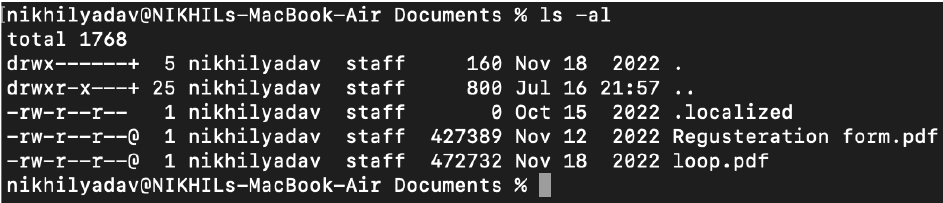
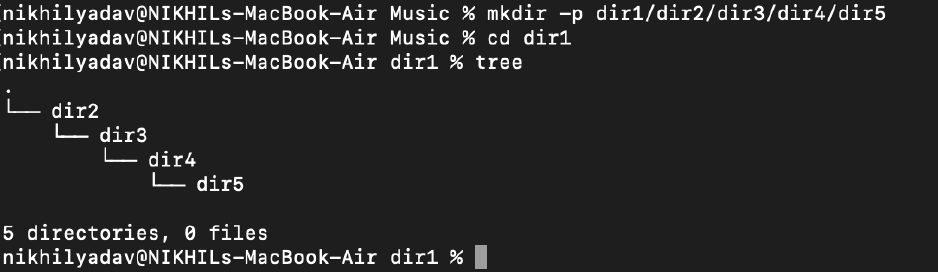
Create a nested directory.
-> To check the current directory, the command is ‘mkdir -p A/B/C/D/E’’.
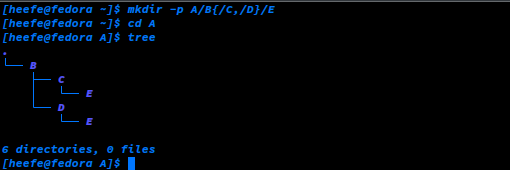
NOTE - To make a subdirectory or more than 1 folder in a directory, we can run the following command -
mkdir -p A/B{/C,/D}/E
To view what's written in a file.
-> We can use the "cat" command to see the content of a file.

To change the access permission of files.
-> The command "chmod" is used to change the permission of files which is followed by a numerical number, where 4 = Read, 2 = Write and 1 = Execute.

To check which commands you have run till now.
-> We use the "history" command to see all the previous commands we have run so far.

To remove a directory/folder.
-> To delete a directory, we use the "rm -r" command which can even remove a non-empty directory.

To create a fruits.txt file and to view the content.
-> We use the "touch" command to create a file and the "cat" command to view its content.

Add content in devops.txt (One in each line) - Apple, Mango, Banana, Cherry, Kiwi, Orange, Guava.
-> There are several editors we can use to edit files. First, we create the devops.txt file using the "touch" command and edit it using "nano/vim/gedit".

To Show only the top three fruits from the file.
-> The command "head" is used to print the top of the content followed by the flag "-n" which shows the number of lines to print.

To Show only the bottom three fruits from the file.
-> The command "tail -n" is used to print the bottom of the file's content.

To create another file Colors.txt and to view the content.
-> Use the command "touch" to create the file and "cat" to view its content.

Add content in Colors.txt (One in each line) - Red, Pink, White, Black, Blue, Orange, Purple, Grey.
-> You can use "vim/nano" to edit the file.

To find the difference between fruits.txt and Colors.txt files.
-> We can use the "diff" command to find the difference between these files.


Comments
Post a Comment